Web Server Setup
-
Make sure IIS is up and running.
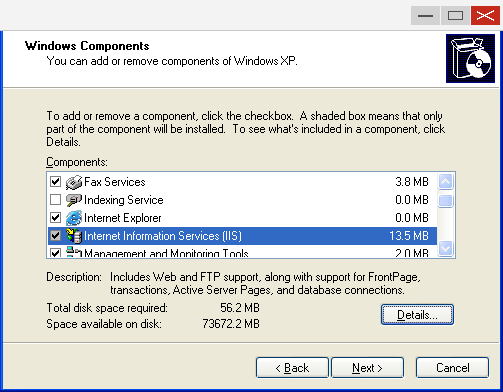
a. If it is not, install IIS under Windows XP (or a related version) from Add/Remove Software as follows.
Figure — Windows Components Wizard: select Internet Information Services (IIS) (13.5 MB)
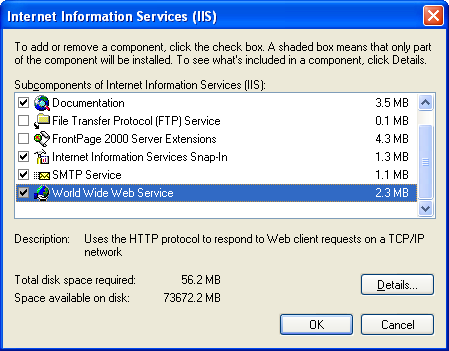
Figure — IIS sub-components: make sure World Wide Web Service (2.3 MB) is ticked
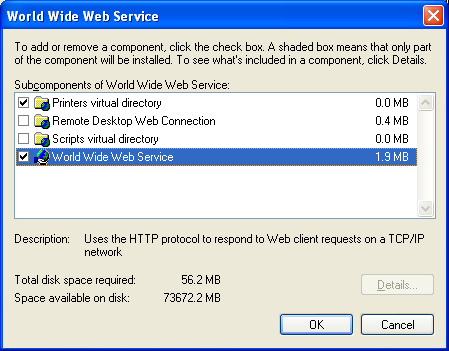
Figure — World Wide Web Service sub-components: World Wide Web Service (1.9 MB) ticked
-
Install
msxml.msi— this is essential. The component is also available at http://www.microsoft.com/downloads/details.aspx?FamilyID=3144b72b-b4f2-46da-b4b6-c5d7485f2b42&DisplayLang=en -
Copy all the report files into
c:\xView\MMIReport. -
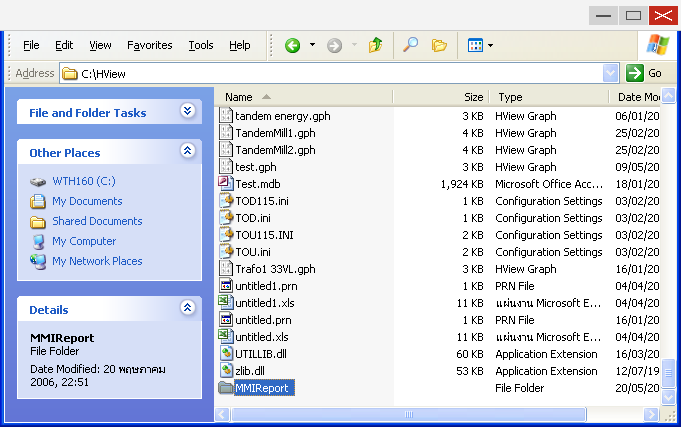
In the xView folder, right-click
MMIReportand choose Properties.
Figure — the
C:\xViewfolder in Explorer, right-clicking the MMIReport folder
- Go to the Web Sharing tab.
Figure — MMIReport Properties, Web Sharing tab: choose ● Share this folder
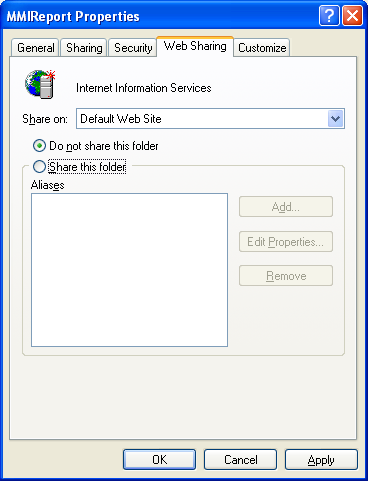
- Choose Share this folder. The system then prompts as shown below; click OK.
Figure — Edit Alias dialog; Directory:
C:\xView\MMIReport; Alias: MMIReport; ☑ Read; Application permissions: ● Scripts
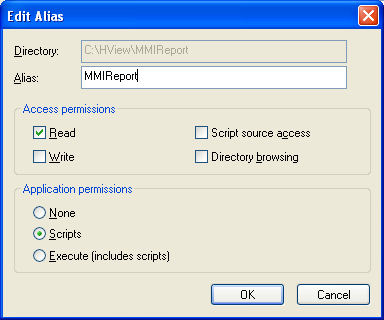
-
Click OK again to finish.
-
Allow everyone to access this report.
a. Go to Control Panel → Administrative Tools → Internet Information Services.
b. Go to Servername → Web Sites → Default Web Site → MMIReport (or Report).
c. Right-click MMIReport.
d. Go to the Directory Security tab.
Figure — MMIReport_Local Properties, Directory Security tab: click Edit under "Anonymous access and authentication control"
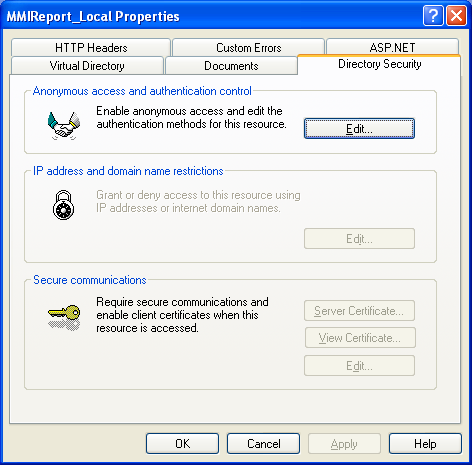
e. Click Edit under "Anonymous access and authentication control".
f. Tick Anonymous access; leave the other options as they are.
Figure — Authentication Methods: ☑ Anonymous access (User: IUSR_WTPC64); ☑ Integrated Windows authentication
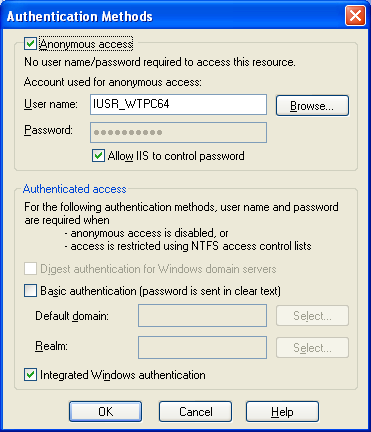
g. Click OK through to the end.
- Set the default document to
index.htm.